This page explains the administrator role: user management, usage limits, categories, templates, updates, system checks, and the wider access needed to support and protect the platform.
What the administrator role means
The administrator is responsible for the health of the whole LabSchool Exams installation. For that reason, the administrator can access all quizzes, questions, participants, attempts, templates, and related management areas when support or data protection requires it.
This wider access should be used carefully. It exists so the administrator can correct configuration issues, support teachers, investigate operational problems, and protect assessment data.
Support
Help teachers when a quiz, user account, or result flow needs attention.
Security
Check access, roles, public links, and sensitive settings.
Continuity
Keep categories, templates, updates, and user limits consistent.
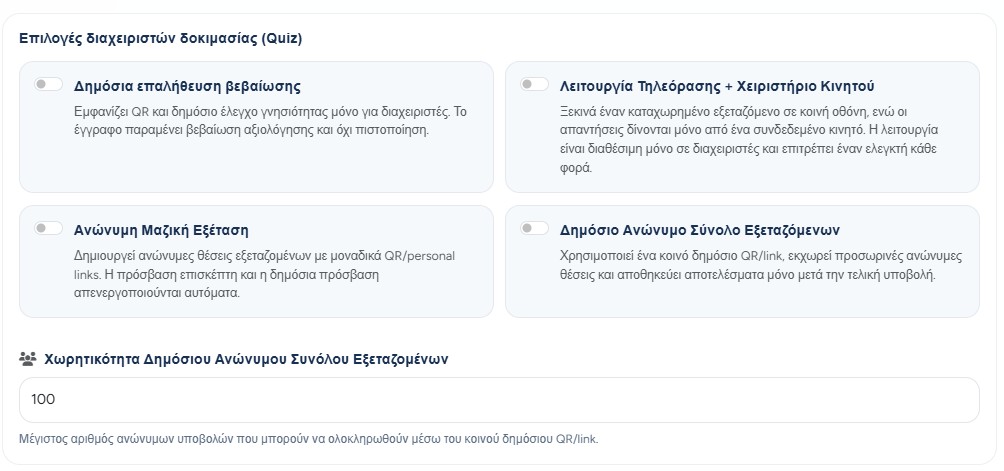
Administrator-only and quota-limited quiz settings
Certificate verification and second-screen mode remain visible only to administrators. Teachers may use bulk examination with pre-registered slots and public anonymous pools in their own quizzes.
Both teacher-accessible bulk modes enforce the account limit for participants per quiz. Active public-pool reservations count toward the limit, and the two modes cannot be enabled at the same time.
Administrative verification/display settings remain separate from teacher-accessible, quota-limited bulk participation modes.
Managing categories
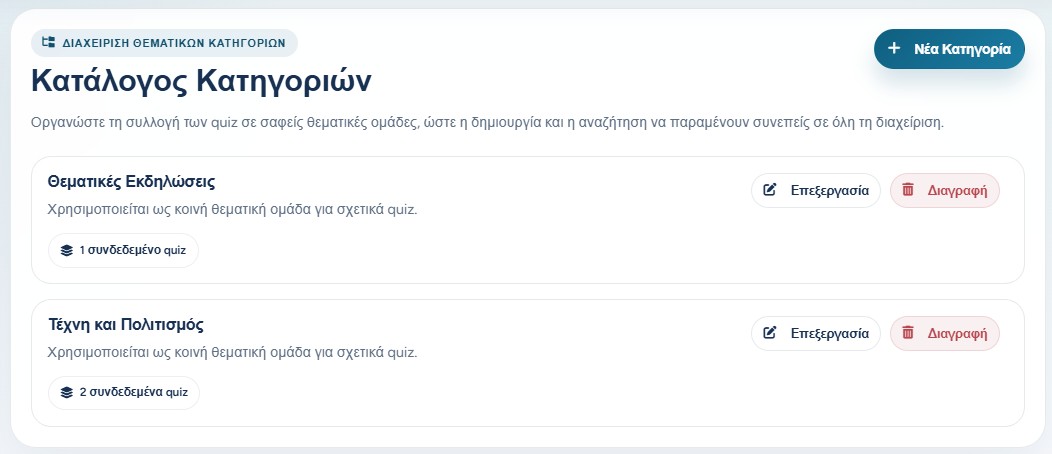
Categories help organize quizzes into clear thematic groups. Administrators can create, edit, and delete categories so the quiz collection remains easy to search and consistent across users.
Before deleting a category, the administrator should check whether quizzes already use it. A category is not only a label; it helps teachers keep their material organized.
The category list shows each thematic group and how many quizzes are connected to it.
User management and roles
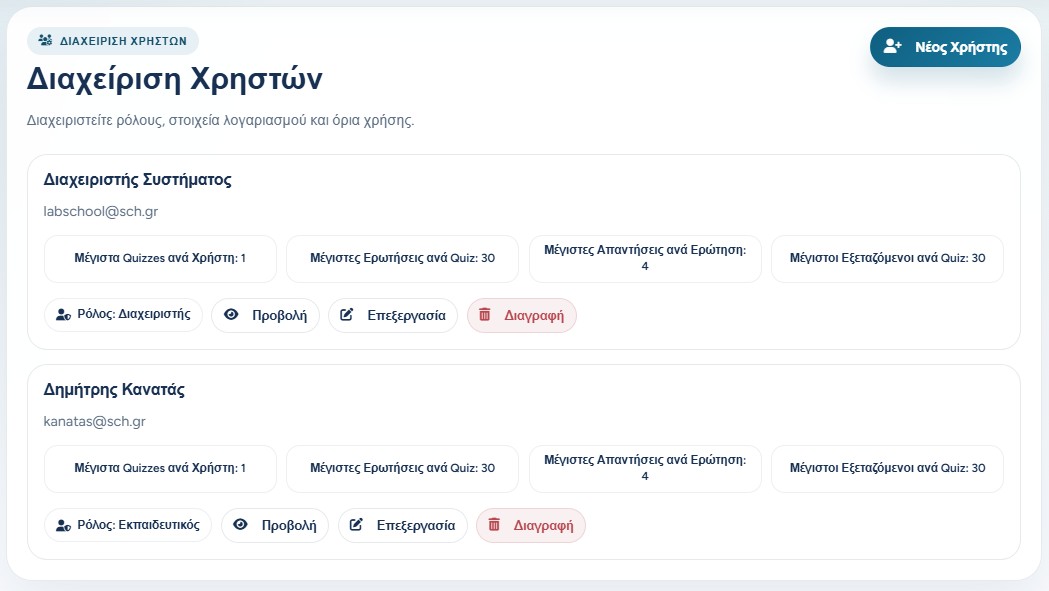
In user management, the administrator can see teacher and administrator accounts, create new users, review user details, edit accounts, and remove users when appropriate.
Roles decide what each account can do. A teacher works mainly with their own quizzes and classroom flows. An administrator has platform-level access and can manage users, templates, updates, and cross-user data when needed.
The user list shows account roles, limits, and management actions.
Usage limits per user
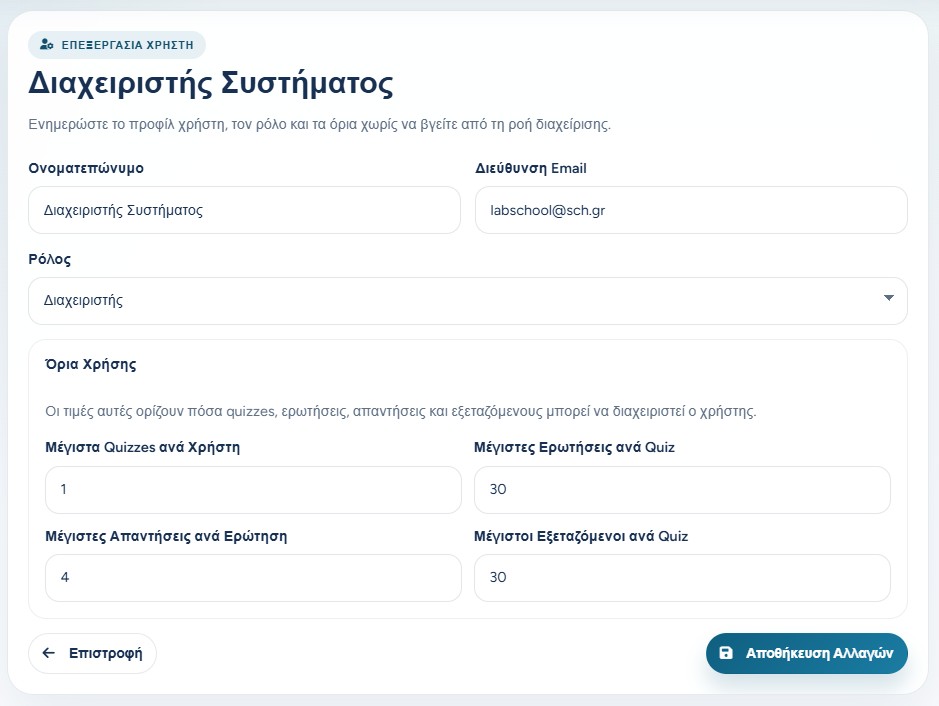
Each teacher account can have limits for how many quizzes they may create, how many questions each quiz may contain, how many answers each question may have, and how many examinees may be registered per quiz.
These limits protect the installation from accidental overuse and help keep the free classroom workflow balanced. When a teacher needs more capacity, the administrator can review the request and adjust the account.
The edit user page controls role, account details, and usage limits.
Managing quiz templates
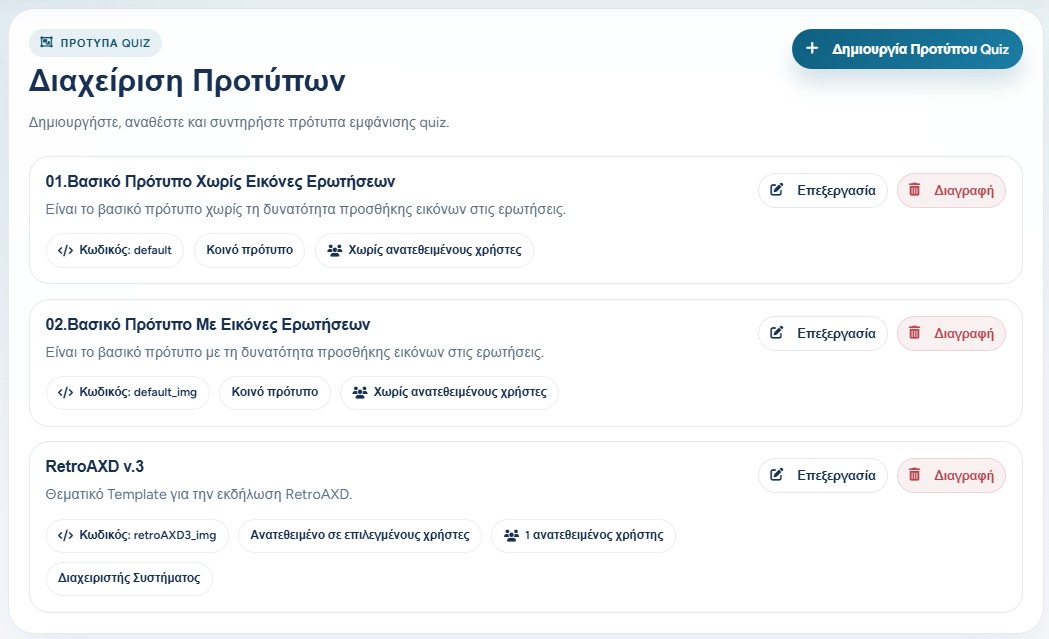
Administrators manage the display templates that teachers can use in quizzes. A template can be common for all teachers or assigned only to selected users.
This is useful when the platform needs a standard set of templates for everyday use, but also special templates for events, projects, or selected teachers.
Template management controls shared and assigned quiz display templates.
Application updates and operational checks
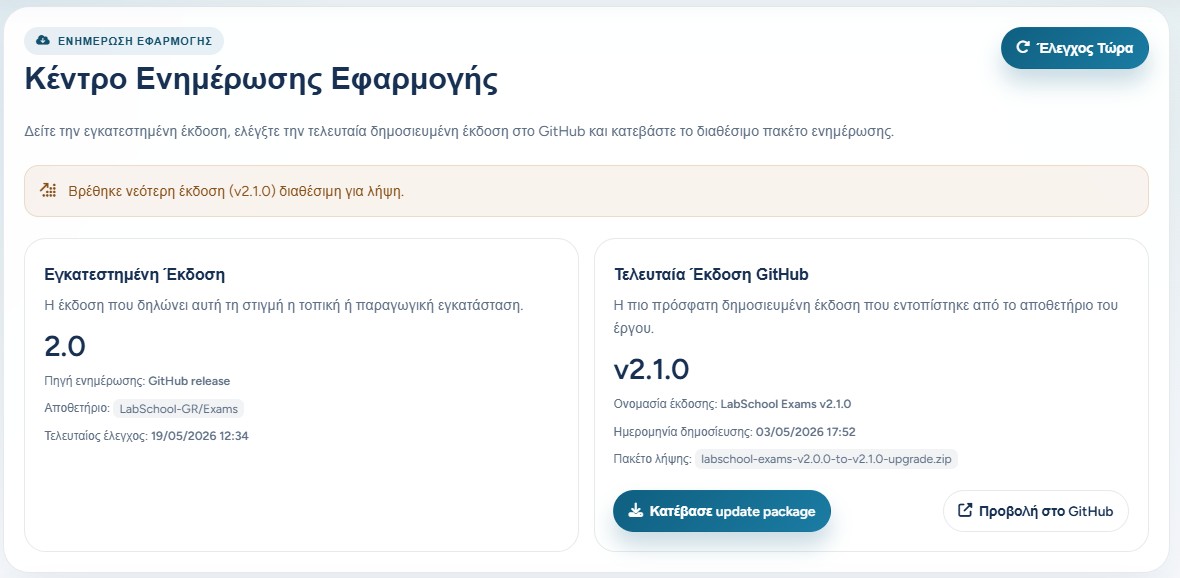
The update center helps the administrator see the installed version, check the latest published release, and download an available update package.
Administrators can also publish application update notes for users. This keeps teachers informed about new features, fixes, and important operational changes.
The administrator should treat updates as an operational task: check the version, keep backups where needed, and apply changes at a suitable time.
The update center compares the installed version with the latest published release.
Responsible administrator access
Because administrators can see and manage data across the installation, the role should be assigned only to trusted users. Access to quizzes, questions, participants, and results should always serve a clear operational or educational purpose.
A practical rule is simple: use administrator access to support users, keep the system secure, correct problems, and maintain continuity. Avoid unnecessary viewing, exporting, or sharing of assessment data.