This page explains how the teacher checks quiz attempts, scores, pass status, question statistics, Excel exports, result PDFs, success certificates, and public verification links.
What the results area shows
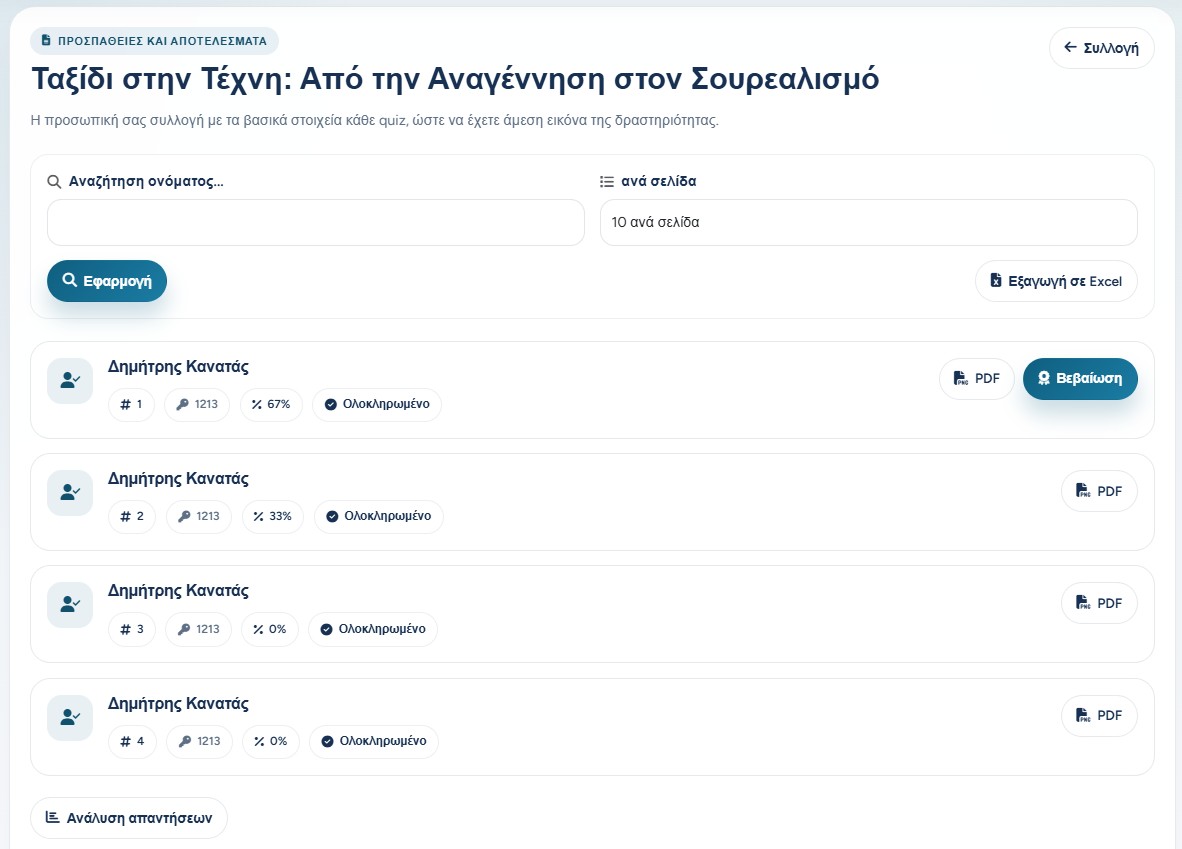
After participants complete a quiz, the teacher can open the attempts and results page. This page gathers every submitted attempt, with the participant name, student code, attempt number, score percentage, and completion status.
From this same area, the teacher can search for a participant, change how many rows appear per page, export the attempts to Excel, download an individual PDF report, or issue a certificate when the participant has passed.
Attempts
Shows each completed try separately, so repeated attempts remain visible.
Score
Displays the percentage achieved by the participant.
Actions
Offers PDF results, certificates, exports, and question analysis.
The attempts list helps the teacher review scores, completion status, PDFs, certificates, and exports.
Checking attempts and scores
Each row represents one attempt. This is important because the same examinee may have more than one allowed attempt. The teacher can therefore compare attempts and see whether improvement happened over time.
The score is compared with the pass percentage of the quiz. When the score reaches or exceeds the required percentage, the attempt is considered successful and a certificate option can appear.
Learning mode sessions are not stored as normal graded attempts, so they do not appear as regular statistics.
Question statistics
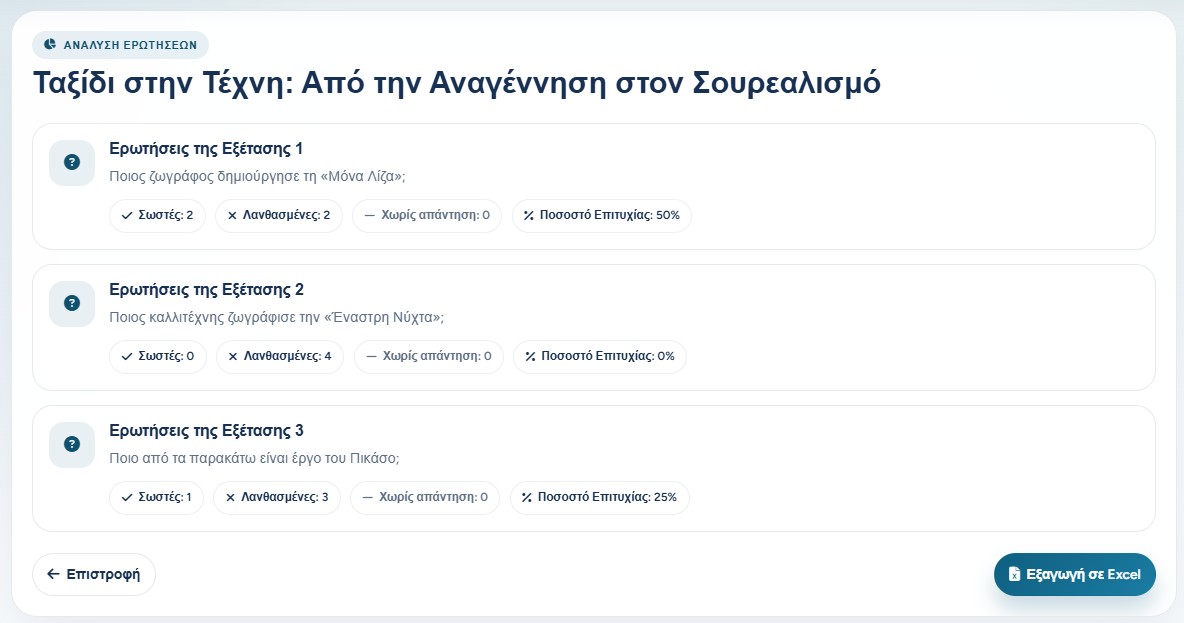
The question analysis page helps the teacher understand how the group performed on each question. For every question, the application counts correct answers, wrong answers, unanswered cases, and the success rate.
This view is useful after a lesson or assessment because it shows which questions were easy, which were difficult, and which may need clearer wording or better teaching preparation next time.
Question statistics show correct, wrong, unanswered, and success percentage per question.
Exports and reports
Excel export is useful when the teacher wants to keep a spreadsheet archive, process the data elsewhere, or combine results with other school records. Both the attempts list and the question statistics can be exported.
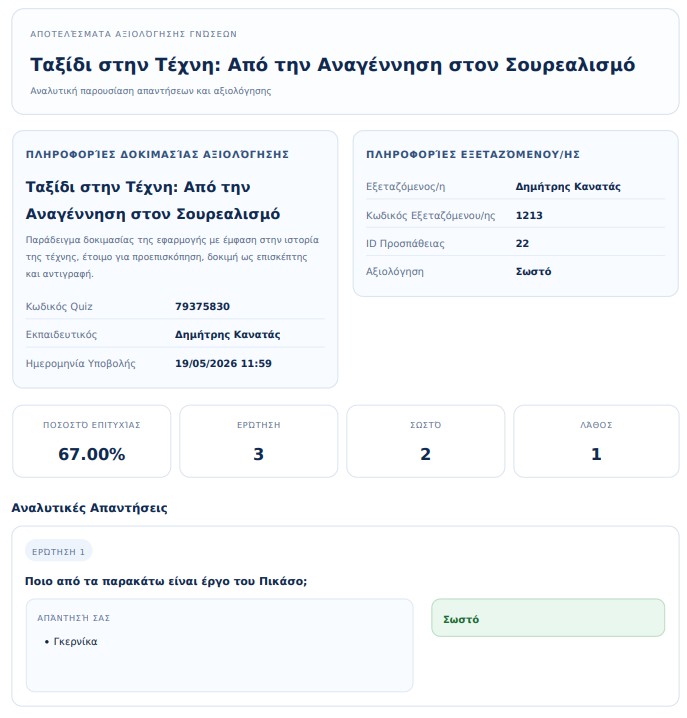
The PDF result report is more suitable for an individual participant. It includes quiz information, participant information, score, correct and wrong counts, and a detailed view of the submitted answers.
The individual PDF report presents the attempt details and the participant's answers.
Certificates for successful attempts
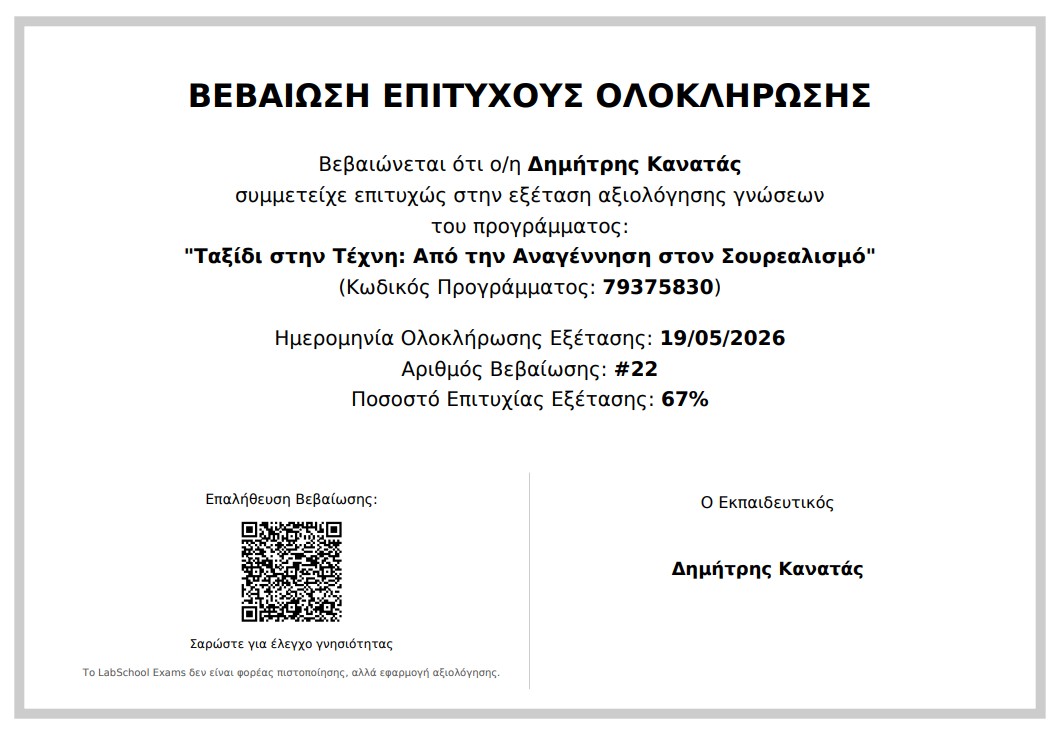
When a participant passes the quiz, the teacher can issue a success certificate. The certificate includes the participant name, quiz title, quiz code, completion date, certificate number, score, teacher name, and a QR code for verification when verification is enabled.
The certificate is a confirmation of successful quiz completion inside LabSchool Exams. It is not a formal external certification authority document, so it should be used with the correct educational context.
A successful attempt can generate a certificate PDF with score, date, certificate number, and verification QR.
Verification links
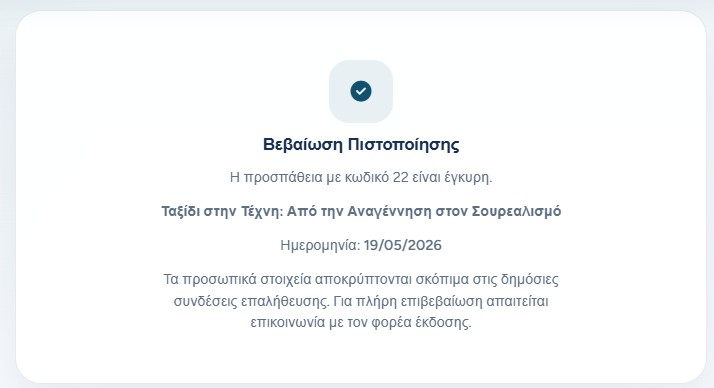
If certificate verification is enabled, the certificate contains a verification QR or link. Anyone who opens it can confirm that the attempt exists and is valid.
For privacy, public verification can intentionally hide personal details. It confirms the validity of the attempt and shows only the information that is safe to display publicly.
For full identity confirmation, the person checking the certificate should contact the issuing educator or organization.
The verification page confirms that the certificate or attempt code is valid.
Reading results responsibly
Results and statistics are useful, but they also contain assessment information. The teacher should share PDFs, exports, and certificates only with the people who should have access to them.
A good workflow is to use the attempts page for individual review, the question statistics for improving the quiz, Excel exports for record keeping, and certificates only for successful completions where a confirmation document is needed.